
Your first game
Start from a template
Section titled “Start from a template”kulisa new "Cat Tales" --dir cat-talescd cat-taleskulisa runkulisa new copies a template into a new folder and gives the game its own title and save
id. Without --template you get classic-vn, a Ren’Py-style visual novel; the others are
text-rpg and desktop-os. kulisa run opens the game with live reload on.
This is what you just made, playing in your browser:
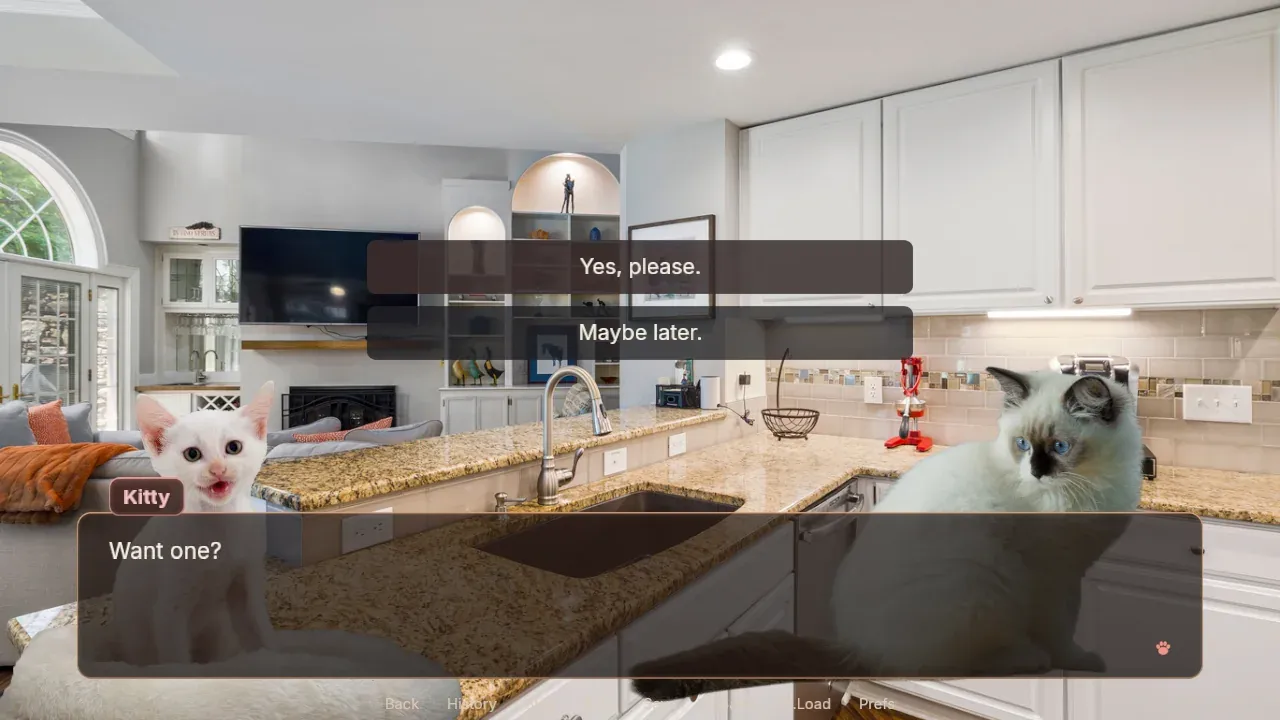
Runs in your browser with WebGPU or WebGL2. Click the game before using the keyboard.Open full screen
What is in the folder
Section titled “What is in the folder”- kulisa.toml the title, save id, version, screen shape and icon
- icon.png
- main.luau runs once at startup and wires everything up
Directorystory/
- script.kulisa the story: start here
Directoryimages/ backgrounds and character sprites, found by name
- bg kitchen.png
- kitty happy.png
- …
Directorygame/ the template’s logic in Luau
- config.luau colors, fonts, positions, transitions, preference defaults
- …
Directoryui/ the screens: say box, choices, menus, save and load
- …
Directorygui/ shaders/ fonts/ the interface’s art
- …
A game is just a folder. Nothing in it is special to the engine except kulisa.toml and
main.luau; the rest is the template’s own code, and all of it is yours to change.
Write a scene
Section titled “Write a scene”-
Open
story/script.kulisain any text editor. Keep the game running. -
Replace the first line of dialogue with your own and save. The game picks the change up and stays on the line you were on.
-
Add a character and a few lines below
label start::define mila = Character("Mila", { color = "#e8a0bf" })label start:scene bg kitchen with fademila "Is that the last of the tuna?""Nobody answered. Nobody ever did, around the tuna." -
Make a mistake on purpose: write
mila Hellowithout quotes and save. The game shows the error with the file, line and column, and goes back to playing when you fix it.
The story language pages cover everything a .kulisa file can say.
Add art
Section titled “Add art”Images are found by name, the way Ren’Py does it. With classic-vn, scene bg station shows
images/bg station.png (or .jpg, .webp), and show mila smile shows
images/mila smile.png. The first word is the tag: showing mila happy later replaces
mila smile. Missing images show as labelled gray boxes, so you can write first and draw
later.
Make it yours
Section titled “Make it yours”kulisa.tomlholds the title, version, save id, screen size and orientation, and the icon. Changeidbefore you ship, or your saves mix with other games made from the same template.game/config.luauholds the look: colors, fonts, text size, character positions, transitions and preference defaults.ui/holds the screens. They are ordinary Luau using the public API; change them, or replace them with your own.
When it is ready to leave your computer, see Building and shipping.